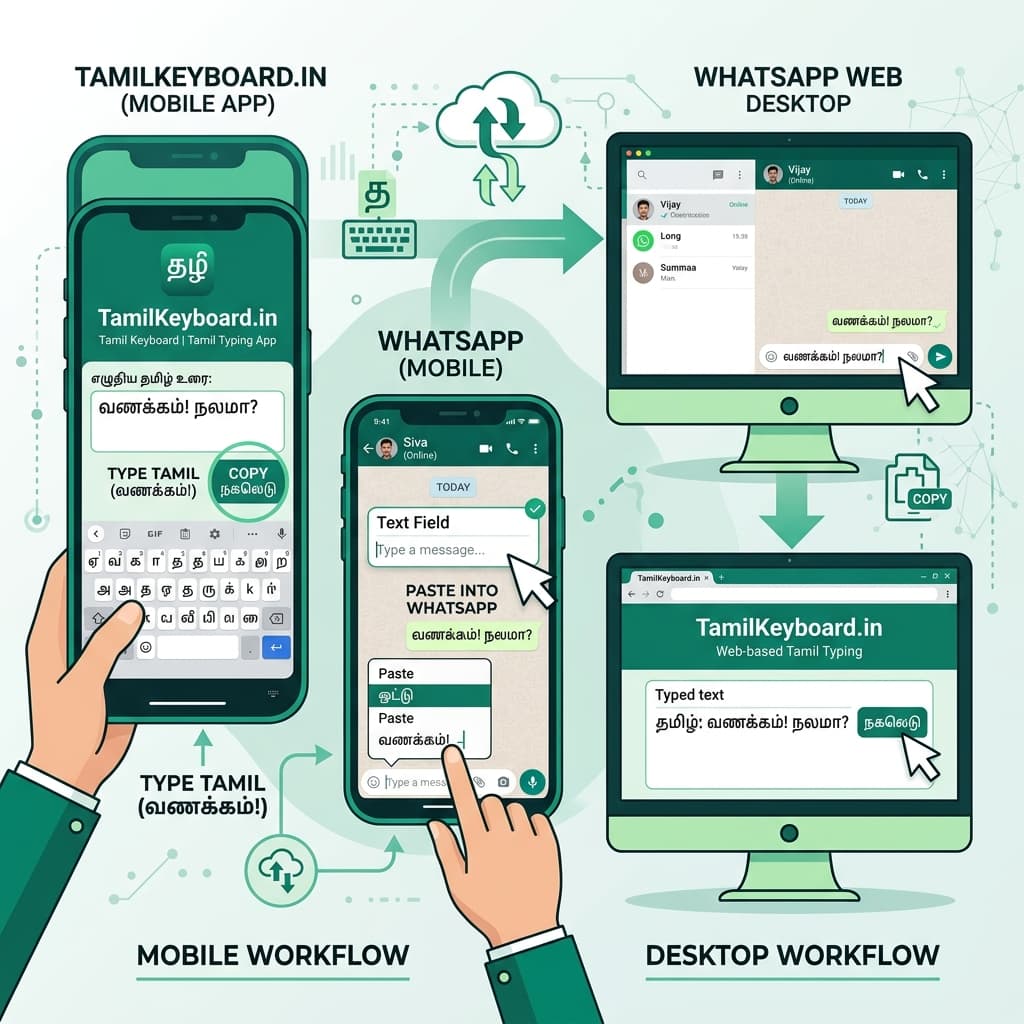
3 Reliable Methods to Type Tamil in WhatsApp
WhatsApp is the most popular instant messaging platform across Tamil Nadu, Sri Lanka, Malaysia, Singapore, the UAE, and the global Tamil diaspora. Whether you are sending family greetings, professional work updates, or managing group announcements, sending clear native Tamil text enhances communication and cultural pride.
Depending on your device setup, choose one of the three proven methods below:
Method 1: Web Copy-Paste via TamilKeyboard.in (Easiest & Safest)
If you are using WhatsApp Web on a computer or laptop where system settings are restricted, our online web tool provides the fastest zero-install solution:
- Open TamilKeyboard.in in your browser tab alongside WhatsApp Web.
- Type your message using English letters (e.g., type vanakkam eppadi irukkinga).
- Our phonetic engine automatically generates "வணக்கம் எப்படி இருக்கீங்க" in modern UTF-8 Unicode.
- Click the green Copy Text button, switch to WhatsApp Web, right-click in your chat window, and select Paste (or press Ctrl + V / Cmd + V).
Method 2: Native Mobile Keyboard Setup (Android & iPhone)
For seamless typing directly inside the mobile WhatsApp application without switching tabs:
- On Android (Gboard): Go to Gboard Settings > Languages > Add Keyboard > Tamil (India) > Select ABC → தமிழ். In WhatsApp, tap the Globe icon (🌐) to switch to Tamil.
- On iPhone (iOS): Go to iOS Settings > General > Keyboard > Keyboards > Add New Keyboard > Tamil > Select Tamil - Transliteration. In WhatsApp, hold the Globe icon to pick Tamil.
Method 3: WhatsApp Tamil Voice Notes to Text
Instead of typing manually on small smartphone screens, use speech recognition:
- Open any WhatsApp conversation window.
- Tap your keyboard text field so your onscreen keyboard pops up.
- Tap the keyboard microphone icon (🎙️) on Gboard or iOS keyboard (not the green WhatsApp voice message icon).
- Speak your message clearly in Tamil. Your voice converts into written Tamil text in your WhatsApp chat bar instantly!
WhatsApp Tamil Methods Comparison Matrix
| Typing Method | Device Platform | Setup Required | Best For |
|---|---|---|---|
| TamilKeyboard.in Web Tool | PC, Mac, Laptop, Tablets | Zero setup (Instant) | WhatsApp Web on office/shared computers |
| Gboard / iOS Keyboard | Android & iPhone | 1-minute setup in Settings | Everyday mobile chatting & group messages |
| Tamil Speech-to-Text | Android & iPhone | Mic permissions enabled | Fast hands-free message composition |
Fixing Broken Text (Question Marks & Square Boxes) in WhatsApp
Why do some receivers get question mark boxes (☐☐☐)?
This occurs when legacy non-standard font encodings (such as Bamini or TSCII) are used. Always generate text using TamilKeyboard.in or official Gboard/iOS keyboards. They use international UTF-8 Unicode standards guaranteed to display correctly on all devices worldwide.